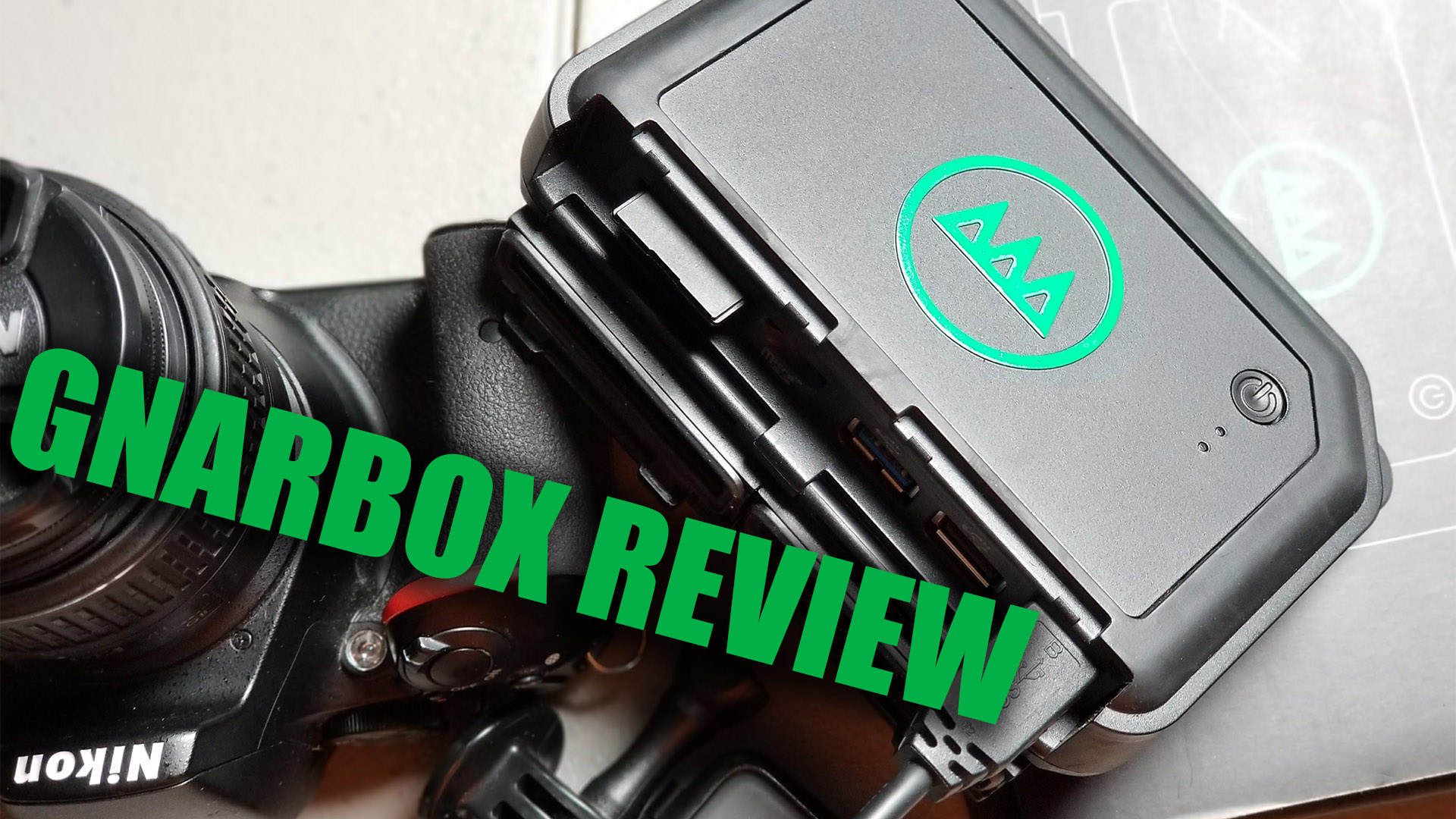
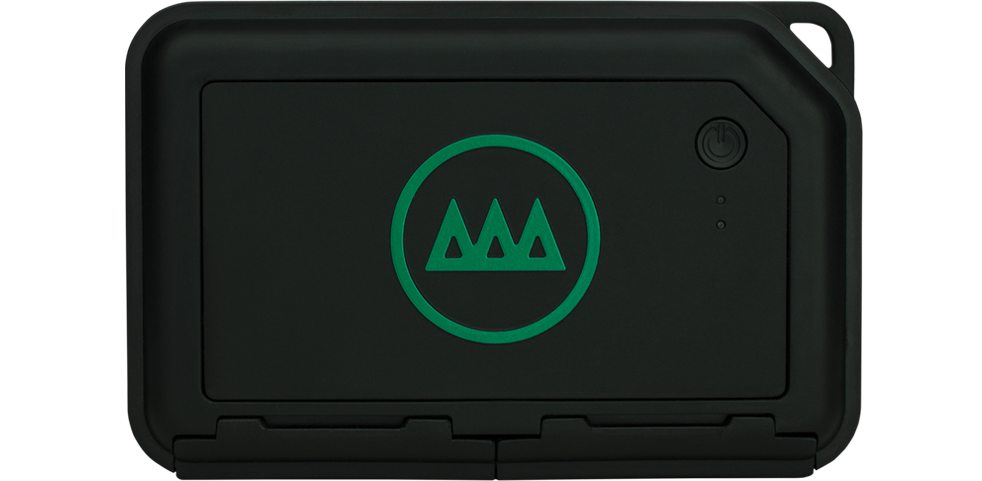
NEPA BlogCon is just around the corner and this year we have a surprise. We’ve partnered with Gnarbox to give away a free 128GB Gnarbox to one of the attendees! If you haven’t read our review of the Gnarbox and why you should want one make, check out our latest post and walkthrough.
If you’re attending NEPA BlogCon this year, make sure you enter to win. We’ll have a rafflecopter giveaway set-up at the event.
PLEASE NOTE, YOU MUST BE PRESENT TO WIN. We will have the prize on site and will hand it out there!
I get a bit nostalgic when I talk about my laptop. It’s a 17in MacBook behemoth that I’ve had almost a decade. It’s slow to start, takes forever to render and is having trouble with new frame sizes and bit rates. But I love that thing. I’ve taken it to Ireland, Jamaica, and Peru. It’s crisscrossed the United States with me and the only issue I’ve had is the hard drive died once. Well, that and it’s a 17in MacBook behemoth! Trekking all over with it requires a large bags (which I’m ok with) and a strong back.
Enter the [amazon_textlink asin=’B01NB0Q9QP’ text=’Gnarbox.’ template=’Gnarbox’ store=’parkwebsite-20′ marketplace=’US’ link_id=’3056a65d-aa50-11e7-bf3d-93014ceef68e’].
When I first learned of the Gnarbox I was a bit skeptical. A device the size of a hard drive enclosure that was going to replace my laptop and allow me to edit and share media on the go. Sure, if you say so. I was curious though, so I bit the bullet and let me tell you, it was worth it.
The Gnarbox is a portable hard drive. 128gb solid state drive that allows you to back up your photos and footage while on the go. But it also has a companion app that serves as a video and photo editor. While it’s not Final Cut or Premier, it does allow you to create short highlights from your footage, that you can edit with sound, export to your phone and share instantly. It allows you to edit your Raw photo files from anywhere and share them too. All without a laptop.
For the past summer, my MacBook has stayed home for the most part. I’ve been able to take my Nikon, GoPro, and Gnarbox and shoot and share without lugging around my precious MacBook. As a food blogger, traveler and creator of social media content, the Gnarbox is a game changer. I can shoot my meal and while eating, edit the raw photos and have them on Instagram before dessert. I can make short video clips for clients on the spot and not need to set up my laptop. The detail and level of editing is damn close who what I would get out of Photoshop, for a lot cheaper.
Bottom line – if you create online content and need a solution that doesn’t require you to learn to edit professionally or carry an entire edit suite, you need the [amazon_textlink asin=’B01NB0Q9QP’ text=’Gnarbox.’ template=’Gnarbox’ store=’parkwebsite-20′ marketplace=’US’ link_id=’3056a65d-aa50-11e7-bf3d-93014ceef68e’].
YouTube has been the old standby for video sharing and hosting since it’s inception. Similar companies, specifically Vimeo, have made a small dent, but YouTube reigns supreme. They are the video platform for everyone, Vimeo is really tailored towards filmmakers and other professional creatives.
Some of the major problems YouTube has for distribution is that it’s cluttered and not really mobile friendly. It looks like Google has heard these complaints and a new YouTube experience is coming.
Our recent post discussed vertical/square video vs horizontal and that in the end, it depended on where the video will be displayed. Looks like YouTube has entered the mobile era and will now adjust it’s player so that vertical and square videos can be played back and displayed as they were shot.
Via YouTubeVia YouTube
It looks like they’ve also decided to clean the desktop space. The new layout is less ‘boxy’ and flows easier. They’ve made the account drop-down actually useful and even offer a dark theme option for viewing (which, personally, looks much better).
Other updates from yesterday’s conference include new ways to share within the YouTube App, and a new VR experience dubbed ‘VR180’. VR180 will be an interesting development. The idea is human vision is 180°, we can see what’s in front of us, so let’s create and be able to view video in the same manner. Some 360°/VR cameras already have the option of shooting with one or two of their lenses. Being able to only view the 180° that are naturally in front of us may make the VR experience and storytelling a little easier. They’re working in some specific VR180 cameras, which seems odd, but maybe the player and headsets can’t recognize the metadata from a 360° shooting in only 180°? Either way, it’ll be an intriguing development for the VR space.
Recently, I got a chance to play with the Samsung Gear 360 thanks to a Streetview loan from Google. I’ve had the Ricoh Theta S for a while and love it. The only drawback is that it only shoots 1920×1080 video, which doesn’t look good with 360 videos. The Samsung Gear 360 shoots 4k, so I thought it would be a better camera.
It was not.
In any way, shape or form.
Ok, it shoots 4k, that’s the only way, shape or form.
Form factor is horrible because it’s a ball and hard to hold and use. Luckily, this has been fixed for the 2017 version. The Gear 360 app is horrible. Terrible. Atrocious. It takes forever to stitch photos and video. If you attempt to do it all from the phone, it actually won’t give you a 4k video, meaning you need a desktop solution. If you’re a Mac user, just go cry yourself a river, because most of the desktop (and mobile solutions) are garbage.
The dual independent lenses on the Gear 360 create 2 stitch points, which given its form factor, really make shooting anything within 6 feet of the camera difficult. Also, because they act independently, you get different exposure on each one depending on the lighting.
With the Ricoh Theta S, if you shoot a picture with the app, when it captures, it automatically stitches and saves to your phone. It takes maybe 2-3 seconds, whereas the Gear takes upwards of 10 seconds and doesn’t stitch or save to the phone. The Ricoh app saves what you shot, how you shot it, to your phone and makes mobile uploads easy.
Instead of 2 independent lenses, the dual lenses on the Ricoh Theta S act as one and give you even lighting throughout the image. Also, because it’s slimmer than the Gear 360, its stitching is minimal and allows for things to be closer to the camera and not get lost.
All in all, I was thrilled to send back the Gear 360 because I couldn’t really do anything with it. I have an Android phone, but because I’m a Mac user, I couldn’t really get much out of the camera. The process of getting this 360 review stitched, to a Mac, edited and then to YouTube took about 8 hours of copying, stitching, copying, formatting…you get the picture. The only plus I give the Gear is it shoots 4k, outside of that, the camera isn’t worth it. I’ll stick with my Ricoh.
Both companies have new versions coming out in 2017. The Gear 360 is already out and you can see where they’ve changed the form factor to make it easier to hold and stand up. Many newer 360 cameras have adopted this as well, so at least Samsung learned there. The Gear 360 app that I used before I sent the camera back to Google was the updated one that works with the Gear 360 2017, so that’s not very promising at all.
Ricoh’s 2017 model, I spoke with them at NAB this year, is supposed to have 4k video or better and offer spatial audio. Given the growing amount of contenders prosumer in the 360 camera market( GoPro and YI Technology, specifically), Ricoh may need to do more than that to stay in this race. Give the price point, ease of use, app support, and quality, as of now, the Ricoh Theta S is still my favorite, but we’ll see what the rest of 2017 holds.
When it comes to shooting mobile or online video, the easiest way to piss of a videographer is to shoot something vertical. I often grab friends phones and “fix” the way they are shooting. For a long while, it was a big pet peeve.
But, as with all things today, times have changed. By that, I mean WHERE we consume media has changed. If you own a smartphone (more than 80% of you do) then you’ve probably watched a video on it. This is where the problem occurs. YouTube, Vimeo, and other video hosting sites still favor widescreen formats and users tend to rotate their phones when on those sites. Facebook, Twitter, Instagram, and most other social networking sites, though, tend to favor the profile or vertical positioning.
Vertical Video POV from Ogilvy & Mather
Studies show that we spend upwards of 90% of our time with our phones in the vertical orientation. Because we use these sites vertically, consumers have gotten used viewing information in the manner. Yes, you can upload widescreen video to these sites, but on mobile, they take up less screen real estate. This means that when presented, consumers tend to scroll by it. Either because it doesn’t fill the screen or they don’t want to have to turn their phones.
The answer? Shoot for the edit. It’s an old fundamental for videographers and filmmakers; know what the end product is supposed to look like and how it will be distributed and shoot for that. If your video is getting posted on YouTube, Facebook, Instagram and so on, shoot it horizontal and leave room to crop for mobile. This way you can maximize all screens. If it’s only going on mobile heavy sites, shoot vertical. This goes for cell phones and video cameras. Most of us are using DSLR’s and shooting vertical is quite simple. This way you can upload true HD quality video to Snapchat, Instagram, and Facebook if you want.
Like I said, times are changing. This proves though, yet again, that while devices, consumption, and tech may change, knowing the fundamental basics of media production is always the best solution. If you want some guidance on best sizes and practices for mobile content, check these out:
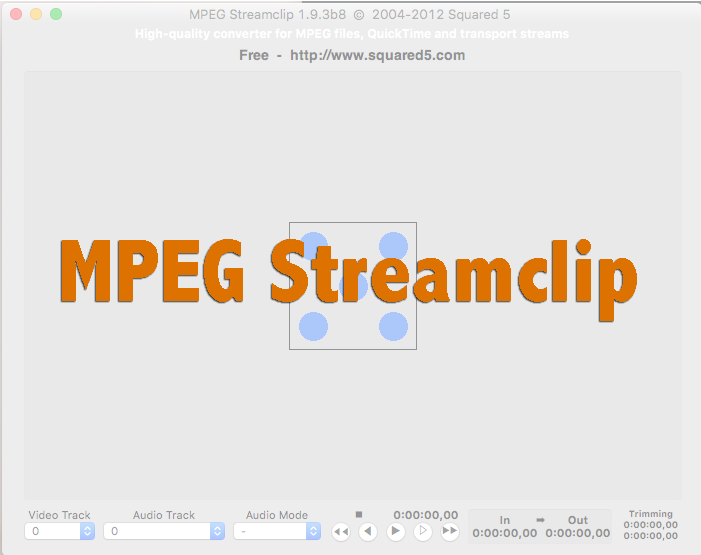
When you launch the application, you’ll get the blank dice looking image. You can drag your video to be converted into the frame. If you have more than one video and you want to do a batch of them, it’s List>Batch List and you can drop your videos there.
Once your video(s) are loaded, select ‘export to MP4’
In the dialog box that appears, you want to make a few adjustments.
Set the quality to 100
Check the limit data rate box and set to 10000-15000
if you need to adjust the size of the video, select a new frame size. (You typically want to leave it the size it was shot, the unscaled setting)
Hit ‘Make MP4’
The next screen will ask you where you want to save your file and then you’re done!
I’ve used MPEG Streamclip to convert everything from video for broadcast playback on Comcast to Instagram videos. for a free application, it’s proven to be my go to for all conversion needs. It’ll save you money and time if you learn to convert your own videos and ensure they playback at the quality you want.
BONUS TIP
Another nice feature of MPEG Streamclip is the ability to trim video. Using the “I” and “O” (in and out) key on your keyboard, you can set when the video starts and stops. So if you’re putting a teaser video on Facebook or Instagram, you can use MPEG Streamclip to trim you larger video!
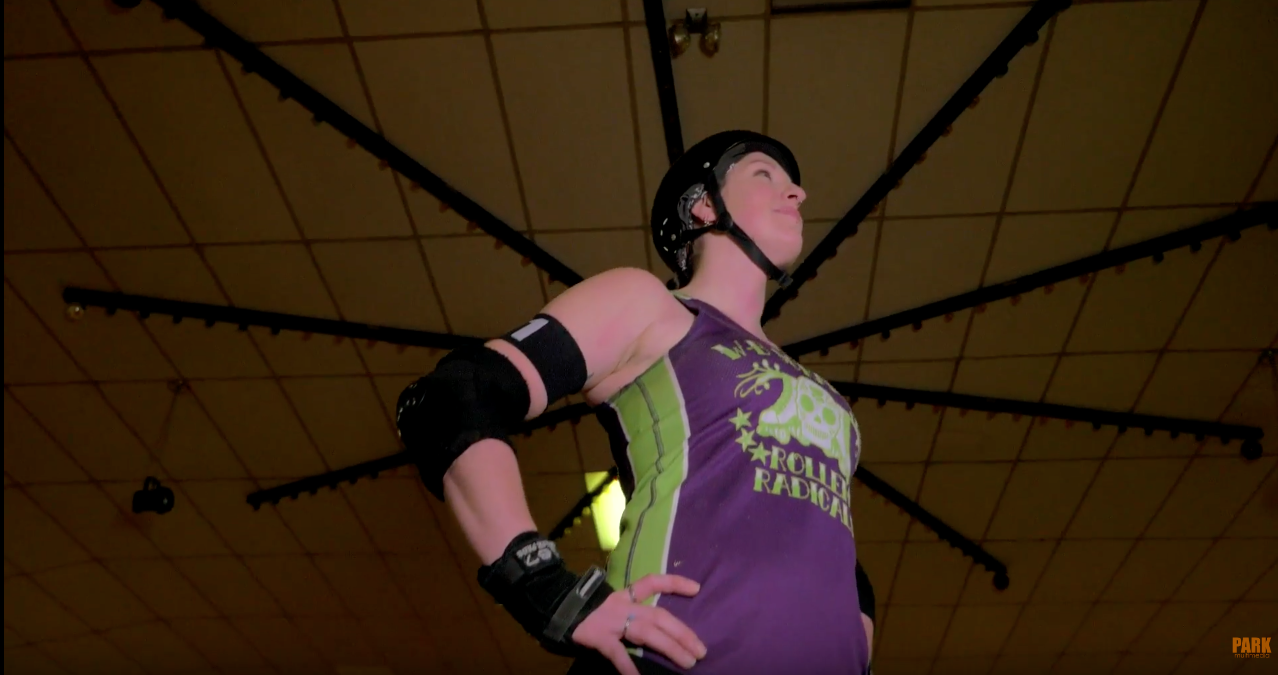
Last month we had the pleasure of working on a short video for the Wilkes-Barre Scranton Roller Radicals. They were looking for something to run on Facebook to announce their upcoming tryouts for the 2017 season. They didn’t have anything particular in mind and said they’d be happy with whatever we came up with. We, at Park, have a few clients we take on that are non-profits and help out from time to time, and this was one of those projects. Because they were up for anything, we wanted to have a little fun with the video and came up with the idea of “Beth”. “Beth was someone looking to become more confident, have some fun and make some new friends. These are all things the Roller Radicals can do for those looking for something different.
The girls are a fun bunch and we had a blast spending our Sunday morning hanging out. To add some more motion and action to the video, we reached out to our friends at Trifocal Productions to shoot on their gimbal. The end product came out great and the Roller Radicals loved it.
This past weekend, the Sisters of Mercy in America held a Rally for Refugees and Immigrants. It was the first rally of it’s kind in the area since the new administration took. Politics aside, we thought it would be a good chance to grab some 360 photos with the Theta S. We also snapped some regular stills so the organizers would have some photos to share from the day.
While the day was cold a windy, it was a bright blue sky, which was great for the Theta S. It works really well in the low light test we’ve put it through, but had yet to really test it with a bright sun. Usually, you can place the sun in front of your subject for better exposure and not have to worry about the camera underexposing your subject. With a 360 camera, the sun and subject are both going to be captured.
The Theta S performed pretty well. If you take a spin around the images, you can see that the sun is blown out, but the Theta S does a good job of evening the image exposure. The rest of the image isn’t too dark and the sun isn’t too blown out.
The Theta S is the only 360 photography camera we’ve tested so far, but we’re working on getting a Samsung 360 to shoot with as well. Now that we’ve found a WordPress plugin that allows us to display 360 photos on the site, we’ll publish more test and blogs with images.
Below are some of the still images from the rally as well. Our buddy Richard Baldovin of Trifocal Productions also came out as well and shoot video of the event and speakers. You can see them over on his Facebook Page
Regardless of where you stand on the 2nd Amendment and the gun issue in America something amazing just happened in the House of Representatives.
Democrats decided there was going to be a sit-in in the House of Representatives in response to the GOP not allowing a vote on gun reform. When Rep. John Larson (D-Conn.) gave his time at the podium to the Democratic Whip, Rep. Steny Hoyer, (D-Md.), the House went to recess. Given that the majority in the House is Republican and the Speaker of the House, Rep. Paul Ryan (R-Wisc.), run/govern all actions in the House, this meant that proceedings for the day were done. The cameras in the House that are seen on C-SPAN and elsewhere are owned and operated by the House itself. What you see a feed being sent to C-SPAN. Because of the recess, the feed was cut and supposedly no one would witness the sit-in.
“What we show on C-SPAN is the feed from the House. It is the House’s video, their feed, their audio, their camera angles. It’s the House recording studios that operates the cameras under the control of House majority leadership,” C-SPAN spokesman Howard Mortman said in an interview. Mortman said they were not given warning that the House would be recessed or the feed cut off.”
—Politico
When the government (at least part of it) attempted to keep something off the airwaves, a cable network picked up a live feed from inside the event and began broadcasting it.
But what happened next, regardless of the outcome or if a vote ever happens, is the real story. Scott Peters, Rep. (D-Calif.) and Beto O’Rourke Rep. (D-Tx.) began to live stream the sit in on Periscope and Facebook Live, respectively.
This allowed C-SPAN to pick up their live feeds and continue the broadcast of the sit-in. As the day went on, CNN and MSNBC followed suit.
Let that sink in if you don’t realize the importance. When the government (at least part of it) attempted to keep something off the airwaves, a cable network picked up a live feed from inside the event and began broadcasting it.
This is big. Not just because the government is involved, but because C-SPAN has just shown the true power of social media and mobile devices.You can broadcast your experiences and thoughts to any who’s willing to listen. Yes, we’ve had social media, blogs and so on for a while, but we’re talking video. No longer is what you’re seeing and hearing delayed or filtered through the user, it’s the live video as it happens without the needs of major distribution. And mainstream media is finally paying attentions.
The structure and business of the media world has already been changing quietly because of social media. It puts a lot of power in the hands of consumers and that scares executives. It disrupts financial and power structures that have existed for decades. You can say what you will about social media, the internet, people being glued to their phones and so on, but a big change is coming because of it. When it comes to media, what we consume and how we consume it will look completely different in the next 5-10 years (being generous).
Think of it this way, we’re all walking around with the technology to transmit live broadcast from anywhere and receive them from anywhere as well. This will take the notion of hyperlocal broadcasting to a whole new level. Joe down the street can do a daily broadcast with officials in the community at his produce stand. And his Facebook followers will be able to ask questions in real time to get answers. No TV studio, no fitting in between programming, no worrying about paying for airtime. Now everyone with a phone is not a trained reporter or journalist and their sources for information may be sketchy at best…but who’s going to fault them? And it’s not like we don’t turn on cable news now to see wall to wall coverage of an event only to find out what they reported at 9am was wrong and at noon they have it right.
Mainstream media will have to adapt and find ways to incorporate live streaming or it will fall behind. We can now experience the world in real-time from real people. As a recent article by Tech Crunch noted – This is the end of the Information Age and the birth of the Experience Age.
Not because school was out, though it helped, but because I got to roam free with my friends. Growing up in a fairly large city with a decent sized population meant we had a lot of schools…a lot. This meant that my friends from the neighborhood and I weren’t at the same school. We hung out after school, but it wasn’t the same.
Then summer time…where we could run amuck together and share in each other’s experiences. That was the key… sharing in the experience. Telling someone about the fun you had is one thing… but sharing the experience with them is another.
Understanding Sharing
Back in 2010, Russell Davies broke sharing down into three categories – sharing goods, sharing services, and sharing information. While goods and services tend to exist in the physical world, information made the jump to the digital world. What started as music files and peer to peer messages has blossomed into the crazy world of social media where we, literally, deal and trade in information on a daily basis. Why?
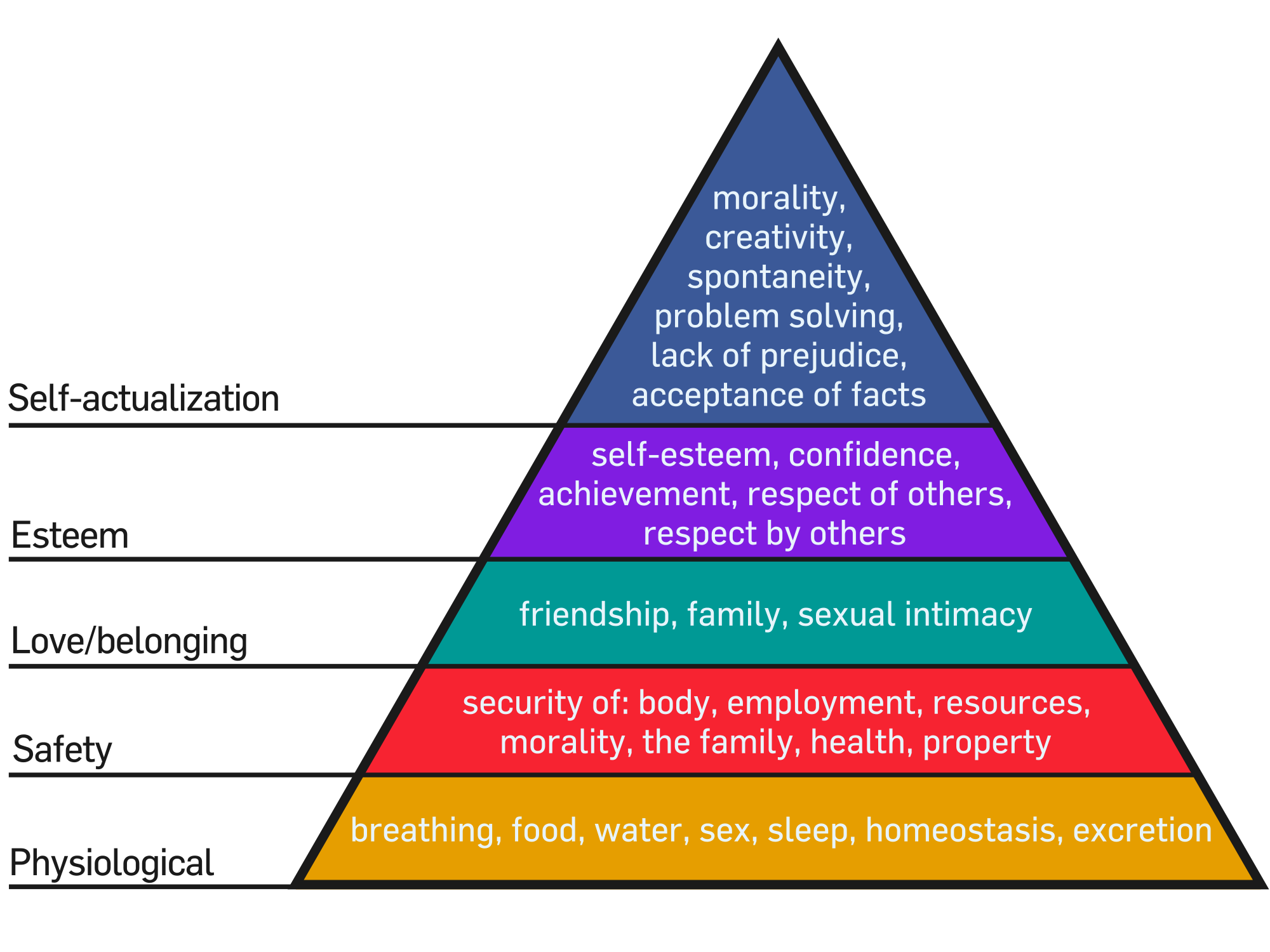
It’s just human nature. It’s how communities grow. If we go back to Psych 101 and look at Maslow’s Hierarchy of Needs, sharing is what we do. By sharing… we can move our community and selves higher. Goods and services cover the bottom three. Sharing food and shelter has been evident throughout all of history. As we feel more secure and safe, we share more.
If we place information at the esteem level, we can see that the idea that what we share online helps shows the world who we are. That helps to build our esteem and we can see how sharing is tied into who we are.
So what about experiences?
Creativity, spontaneity, morality… until late we could only share information about these things… but the world has changed. Social media has changed and it has changed how we share. No longer do I have to tell you how my trip went, I can show by posting to Facebook and Instagram. I can live tweet my responses to a show that I’m watching and everyone can follow or talk back, even if they aren’t in the same time zone. We can all share in other experiences… nearly. It’s still really just information, texts, pictures, emoticons, about someone’s experience.
Until now. There are two very big changes taking over. Virtual Reality and Live (reality?). Yeah…live tweeting is live, but it’s only text. It’s still detached and only after I’ve synthesized my thoughts and written something. But Snapchat, Blab, Periscope and Facebook can give us real-time experiences.While you are immersed in something, I can experience it along with you. Imagine walking through a haunted house with Facebook live on. Even though I’m not there, when that clown pops out, I’ll probably still jump. (partially because clowns are just creepy!). The viewer gets unfiltered access to your experiences.
Want proof, look at Snapchat and Facebook
And while Facebook and Snapchat are probably the polar ends age wise of users, grandma can now be live at Megan’s birthday party or see her graduate. Yeah, older audiences will eat this alive as well.
Virtual Reality or 360 videos and photos are now popping up as well and give you the ability to see the world around the shooter. No longer just the shooter’s perspective, but also what’s happening around them. Safari, train rides, concerts, sky diving… you name it and we can insert ourselves into it. And share in the experience.
So how does this all help your business?
This means it’s time for you to make a shift. It’s time for you to start engaging and interacting with your clients. It’s time for you to build a relationship based on experiences with your audience. Not for sales, but for reputation, brand recognition and top of mind placement. You need to shift from sharing information to sharing experiences. Tech Crunch has a great piece on the dawn of the sharing age.
What do I mean? Are you Coke or Pepsi? Miller or Bud? (Star Wars or Star Trek???) Major brands like Coke and Pepsi don’t advertise to sway people…you’re one or the other. It’s for brand reputation and recognition. They already know you drink Coke. The formula isn’t changing, they aren’t adding a new product, there’s nothing to advertise. But they do it, because it makes Coke drinkers feel good about their choice. It helps to keep them top of mind, so when they get thirsty it’s not even a choice, it’s a reflex.
This is what sharing your experiences can do for your company, especially small businesses. What may seem like the mundane to you, helps to build a connection with clients and helps make new ones. Get a new shipment of something you sell, Snapchat opening it. If you create the products in-house, do it on Facebook Live. Going to a conference based on your industry, Snapchat or Periscope your time there so your clients can see that you really know your stuff.
Don’t feel that live experiences are the only way, Instagram and Facebook are still great places to post video that show your companies personality. But the key is to show. To stay competitive and stand out among the competition, SHOW clients who you are.
The silly ritual the kitchen staff has when opening restaurant. The process of screen printing a shirt. How you freehand a tattoo design A time-lapse of setting up your venue for a wedding. A 360 image of your banquet hall.
Whatever it is you do, show us. Bring viewers in as part of the experience and use that as a way to build trust and a relationship. You have a website that has ‘Information, Goods and Services’, don’t just use your social media to replicating it. Use your social media to also be social, tell stories and share experiences.

 NEPA BlogCon is just around the corner and this year we have a surprise. We’ve partnered with Gnarbox to give away a free 128GB Gnarbox to one of the attendees! If you haven’t read our review of the Gnarbox and why you should want one make, check out our latest post and walkthrough.